
Anúncios
Discover how to navigate without mobile data and never get lost with these efficient GPS apps.
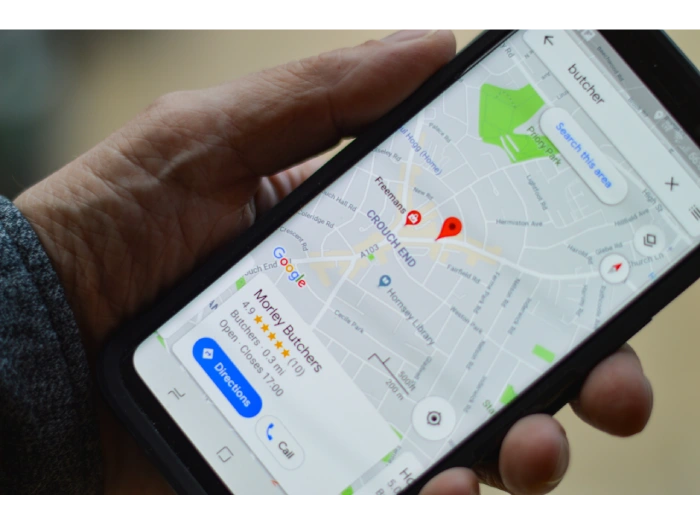
Are you looking for a way to use GPS without depending on an internet connection? If so, you are in the right place! Many of us have found ourselves in situations where a lack of signal or poor connectivity left us lost.
The good news is that there are excellent navigation apps that allow offline GPS usage, providing a simple way to reach your destination without requiring mobile data.
In this article, we will explore the best offline GPS apps, both free and paid, that will transform your navigation experience. No matter where you are, these apps will ensure you always stay on the right path.
Why Use Offline GPS Apps?
Having an offline GPS app can be an essential solution for frequent travelers, especially when visiting areas where data signals are weak or non-existent.
Additionally, it helps save mobile data and ensures safer navigation when internet coverage is limited. Let’s check out the best apps available for this purpose!
Best Offline GPS Apps (Free and Paid)
Here’s a list of GPS apps that work without mobile data. These options range from free solutions to premium alternatives with advanced features.
1. Google Maps
Google Maps is undoubtedly one of the most well-known and widely used GPS apps worldwide. It provides detailed navigation, real-time traffic information, and even alternative routes to avoid congestion.
The major advantage of Google Maps is the ability to download maps for offline use.
Google Maps Features
- Offline maps: Download specific area maps and use them without an internet connection.
- Detailed directions: Voice-guided navigation for easy route guidance.
- Real-time traffic updates: Avoid congestion with alternative route suggestions.
- Business information: View operating hours, reviews, and photos of points of interest.
- Multi-route planning: Add multiple destinations to your trip.
Free or Paid? Google Maps is free, with extra features available for Google account users. Available on the Google Play Store and App Store.
2. Maps.me
Maps.me is one of the leading competitors of Google Maps. It is fully offline, meaning you can access maps without an internet connection.
Ideal for international travel, it provides precise maps and details about tourist attractions.
Maps.me Features
- Detailed offline maps for any region worldwide.
- Point of interest search including restaurants, museums, and attractions.
- Step-by-step directions with voice guidance.
- Support for hiking maps and outdoor activities.
- Regular map updates.
Free or Paid? Maps.me is free but offers in-app purchases. Available for Android and iOS.
3. Waze
While Waze is best known for real-time navigation, it also allows offline map usage, with some limitations. Its biggest advantage is user collaboration, where drivers report accidents, roadwork, and congestion in real time.
Waze Features
- Voice-guided navigation with real-time updates.
- Traffic alerts for accidents and road closures.
- User-optimized routes based on traffic conditions.
- Community-based trip planning.
- Limited offline support (works in areas with weak signals).
Free or Paid? Waze is free and available for Android and iOS.
4. Sygic GPS Navigation
Sygic is a highly recommended offline navigation app, offering 3D maps and extensive customization options. It’s popular among drivers due to its clean interface and advanced functionalities.
Sygic Features
- High-quality 3D offline maps.
- Voice guidance for easy navigation.
- Speed camera and traffic alerts.
- Multiple map layers (for pedestrians and drivers).
- Trip planning with alternative routes.
Free or Paid? Sygic has a free version, but unlocking all features requires a premium purchase. Available for Android and iOS.
5. Here WeGo
Here WeGo is an excellent choice for those who want offline navigation without sacrificing quality features. It offers directions for drivers, pedestrians, and cyclists, with maps available for over 150 countries.
Here WeGo Features
- Offline maps for over 100 countries.
- Public transportation information, including schedules and routes.
- Trip planning with alternative routes.
- Detailed voice navigation.
- Mode selection for drivers, pedestrians, or cyclists.
Free or Paid? Here WeGo is completely free, with offline maps and features. Available on Google Play Store and App Store.
Comparing the Best Offline GPS Apps
| App | Offline Maps | Voice Navigation | Traffic Routing | Price | Platforms |
|---|---|---|---|---|---|
| Google Maps | Yes | Yes | Yes | Free | Android / iOS |
| Maps.me | Yes | Yes | No | Free | Android / iOS |
| Waze | Yes | Yes | Yes | Free | Android / iOS |
| Sygic | Yes | Yes | Yes | Paid (with trial) | Android / iOS |
| Here WeGo | Yes | Yes | Yes | Free | Android / iOS |
Other GPS App Alternatives
If you’re looking for more offline navigation options, consider these great alternatives:
- CoPilot GPS: A paid app with advanced features and offline maps for drivers.
- TomTom GO Navigation: Provides detailed offline maps and reliable navigation.
- Navmii: Free offline navigation with 3D maps and traffic information.
How to Download and Install These Apps
To download and install any of the mentioned apps, follow these simple steps:
- Open your app store (Google Play Store or App Store).
- Search for the app name (e.g., Google Maps, Waze).
- Select the app from the search results.
- Click Install and wait for the download to complete.
- Once installed, open the app and configure settings as needed.
Frequently Asked Questions About GPS Apps That Don’t Require Internet
GPS apps that function without an internet connection have become an essential tool for travelers, outdoor enthusiasts, and anyone looking to navigate without relying on mobile data.
These apps allow users to access maps, directions, and location information even when they’re in areas with poor or no internet connectivity.
Here are some of the most common questions people ask about GPS apps that work offline.
1. How Do GPS Apps Work Without Internet?
GPS apps can work without an internet connection because they rely on satellite signals for navigation, rather than data from the internet.
The GPS satellites transmit location data to your phone, allowing it to calculate your exact position on the map. Many offline GPS apps allow users to download maps beforehand, which can then be accessed when there is no internet.
These pre-downloaded maps include the necessary data for navigation, including streets, landmarks, and points of interest.
2. Which GPS Apps Can Be Used Without Internet?
There are several popular GPS apps that allow offline use:
- Google Maps: Although it’s primarily an online app, Google Maps lets you download specific regions or maps for offline use. Simply search for the area you want, and you can select “Download” to store the map on your device.
- Maps.me: This app is specifically designed for offline navigation, offering downloadable maps for countries, regions, or specific areas. Maps.me is particularly useful for travelers exploring new destinations.
- Sygic: Known for its high-quality offline maps, Sygic offers detailed navigation, real-time traffic updates, and a 3D view of roads. You can download maps of entire countries or specific regions to use without an internet connection.
- HERE WeGo: HERE WeGo provides offline maps for many countries worldwide. After downloading the maps, you can navigate with turn-by-turn directions without needing an internet connection.
3. Do Offline GPS Apps Provide Real-Time Traffic Information?
One of the limitations of offline GPS apps is that they typically do not offer real-time traffic information.
Since these apps do not have access to the internet while you’re using them offline, they can’t fetch live traffic updates or reroute based on congestion.
However, some apps like Sygic offer occasional updates and rerouting when you’re connected to the internet and will store this data for later use.
For real-time traffic monitoring, you’ll need an internet connection to get updated information.
4. How Much Storage Space Do Offline GPS Maps Require?
The storage space required by offline maps can vary depending on the app and the region you download. For example, downloading an entire country’s map may take several gigabytes of storage.
For smaller regions or specific cities, it may only take up a few hundred megabytes. Always ensure you have enough storage space on your device before downloading offline maps.
Additionally, it’s a good idea to delete maps you no longer need to free up space.
5. Are Offline GPS Apps Accurate?
Offline GPS apps are generally accurate, as they rely on the same GPS satellite signals as online apps.
However, the accuracy can vary depending on factors such as the quality of the map data and the device’s GPS hardware.
Most modern smartphones are equipped with reliable GPS systems, but in certain environments, such as dense urban areas with tall buildings or remote locations with weak satellite signals, the app’s accuracy may slightly decrease.
6. Can I Use Offline GPS Apps for Hiking or Outdoor Activities?
Yes, many offline GPS apps are perfect for outdoor activities such as hiking, biking, and camping.
Apps like Maps.me and Outdooractive are specifically designed for outdoor enthusiasts, offering topographic maps, trails, and points of interest that are ideal for navigating in nature.
These apps allow you to explore remote areas without the need for an internet connection, which is especially important in rural or off-grid locations where mobile data might be unavailable.
7. Can I Update Offline Maps?
Yes, you can update offline maps. However, this generally requires an internet connection.
Many apps, including Google Maps and Sygic, allow you to update the maps periodically when you are connected to Wi-Fi.
Regular updates ensure that your maps include the latest road changes, new points of interest, and other necessary details.
Make sure to update your maps before heading to areas where internet access might be unavailable.
8. Are Offline GPS Apps Free?
Some offline GPS apps are free, while others come with a premium version or paid features.
For instance, Google Maps allows users to download maps for offline use for free, but it does not offer all the premium features that other apps might provide.
Apps like Sygic and Maps.me offer both free and paid versions. The free versions may include basic features, while the paid versions often offer additional functions like advanced navigation features, real-time traffic, and more detailed maps.
Conclusion
Offline GPS apps are incredibly useful for travelers and outdoor enthusiasts who need navigation without an internet connection.
Whether you’re exploring new cities, hiking through nature, or driving in areas with poor service, these apps provide essential location data.
By choosing the right app and understanding how to use offline maps effectively, you can navigate confidently no matter where you are.